QESCO App
We are living in a constant evolving world where everything has become digital. In this digital era companies are actively bringing there businesses to the digital landscape. Like other companies QESCO is doing the same.
QESCO is providing a lot of services online, such as you can submit your QESCO bill online. Moreover, it has its official website where it issues its updates. One of these digital advancements is QESCO App which is available on Google Paly Store with the name “QESCO Light”.
What is QESCO App
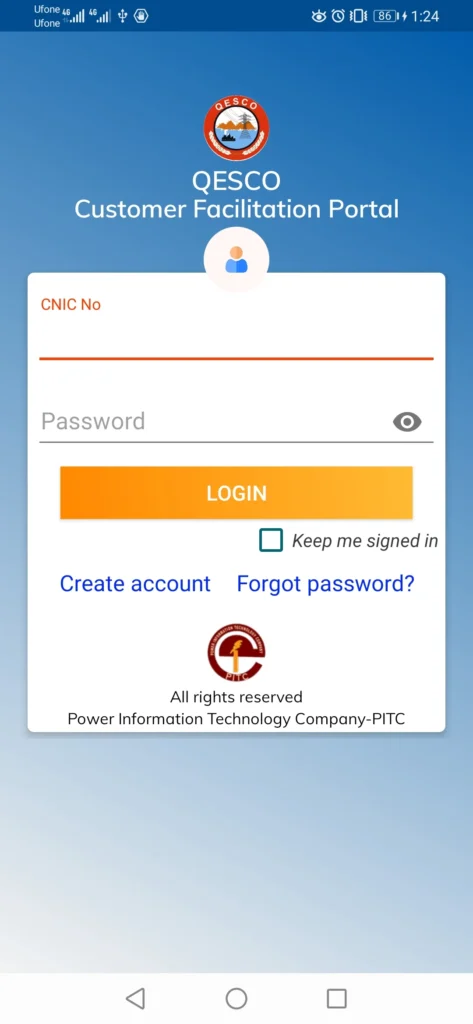
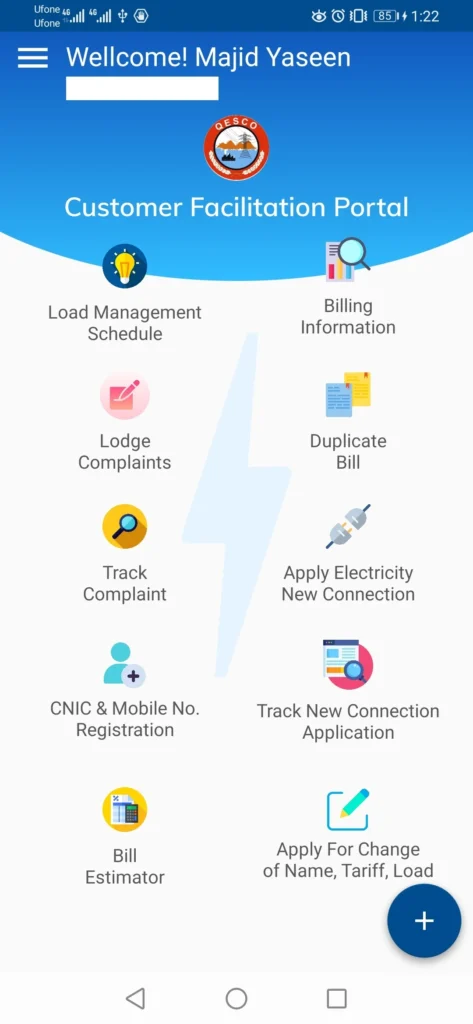
QESCO Light is a QESCO app which is developed by the Power Information Technology Company (PITC) to facilitate the QESCO customers. This customer facilitation portal helps the customers in the following:
- Load Management Schedule
- Lodge Complaints
- Track Complaint
- CNIC & Mobile Number Registeration
- Bill Estimator
- Billing Information
- Duplicate Bill
- Apply Electricity New Connection
- Track New Connection Application
- Apply for Change of Name, Tariff, Load
How to Create Account on QESCO App
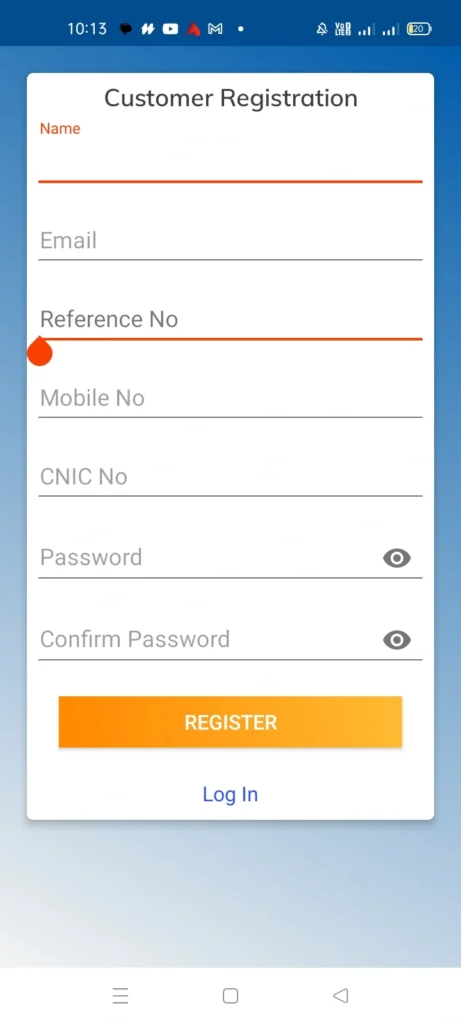
The first step after downloading QESCO app is to create your account on it. To create your QESCO app account, you have to provide the following information:
- Name
- Reference Number
- Mobile Number
- CNIC Number
- Password
- Confirmation Password
Once you have provided all of these pieces of information, click the “Register” button, and your accout will be created.
How to Login to Your QESCO App Account
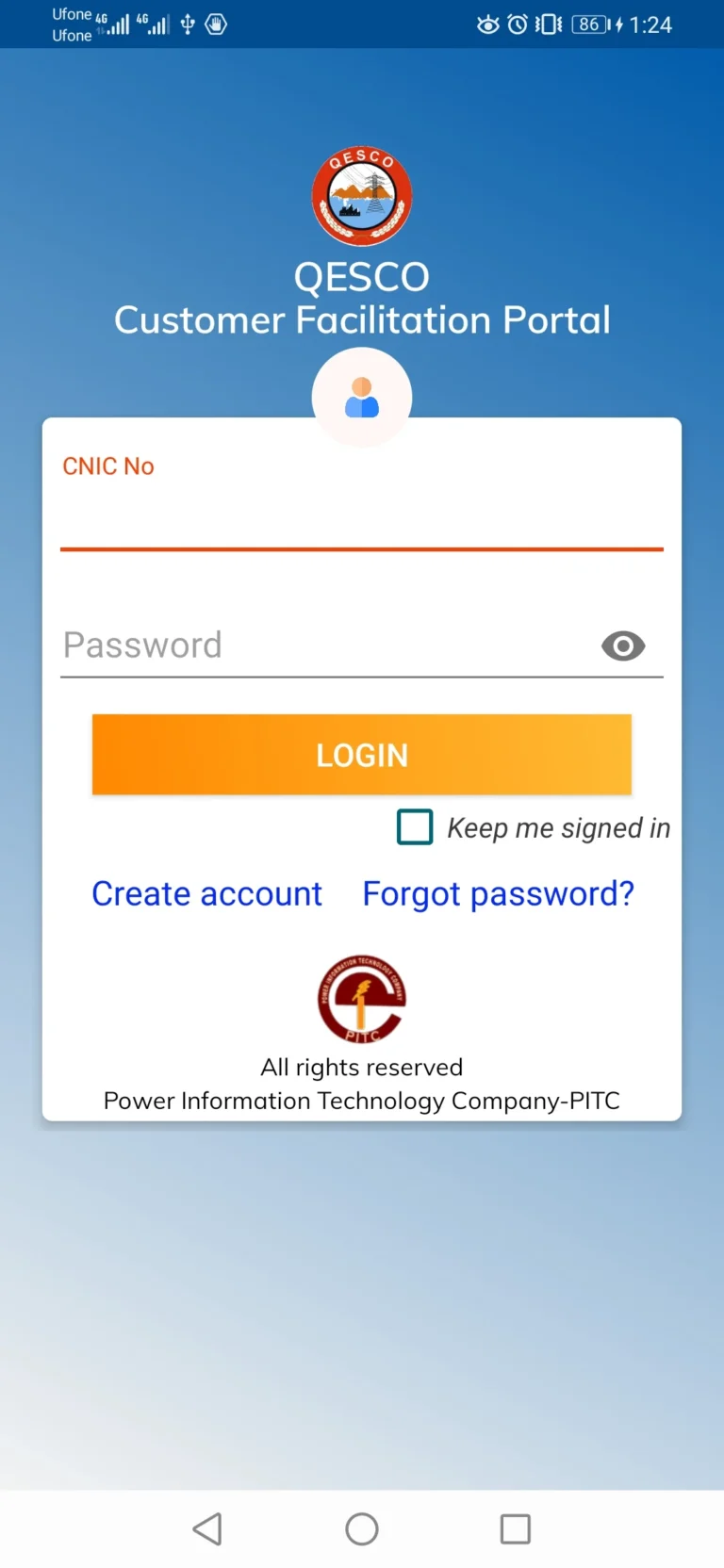
To login to your QESCO app account, you have to provide the following details:
- CNIC Number
- Password
After providing these details, click the “LOGIN” button, and you will be logged in to your account. After logging in you will be able to access all the QESCO services that QESCO Light App provides to its users.
QESCO App Usage
QESCO app is introduced so that the consumers can do their tasks easily and swiftly from their homes. Therefore, following is the explaination of the services that QESCO app provides:
Load Management Schedule
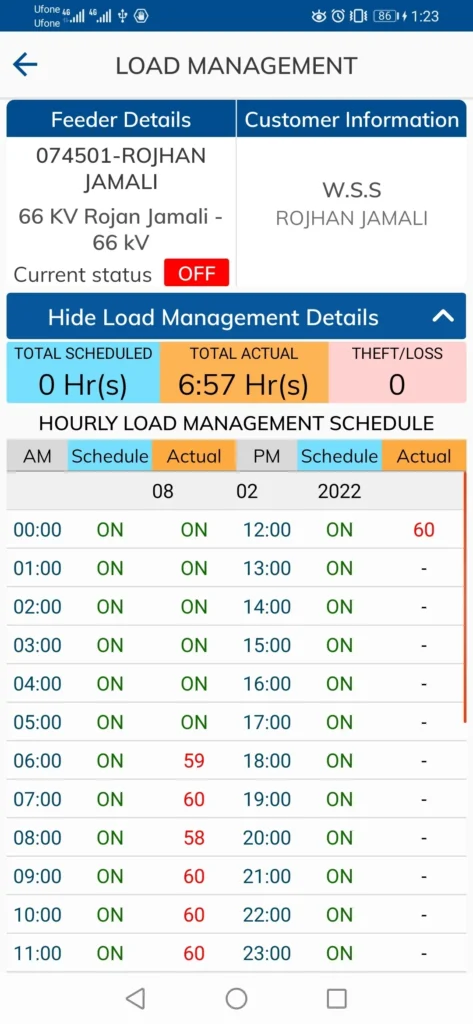
By clicking at the “Load Management Schedule”, you can check the load shedding schedule for your area. This section of the QESCO shows you when electricity will be turned off and restored in your location due to load management.
Lodge Complaints
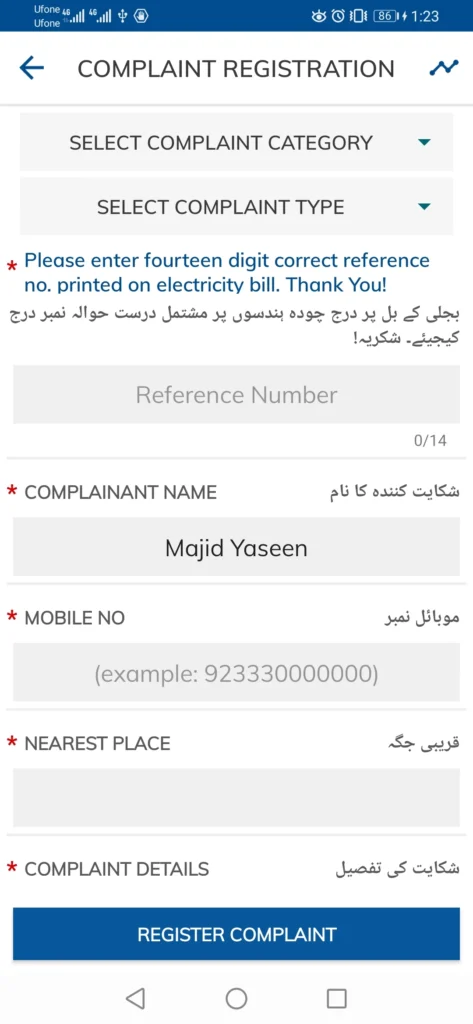
By using the Lodge Complaints option, you can submit your electricity related problems.
Track Complaint
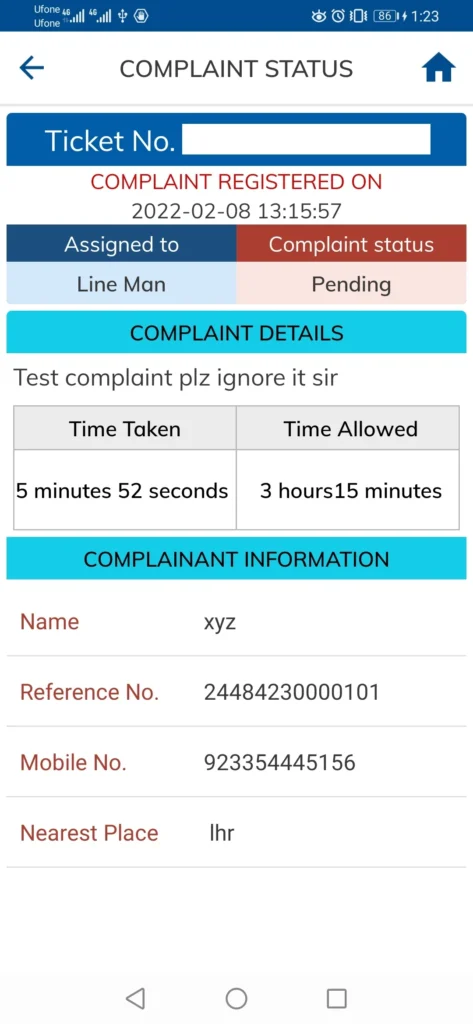
The complaint that you have submitted in the “Lodge Complaints” option are tracked in the “Track Complaint” option.
CNIC & Mobile Number Registeration
This option of helps the QESCO users to connect their CNIC and Mobile Number with their electricity meter or consumer account. This registeration helps in:
- receiving SMS alerts about your electricity bill
- getting notifications about load shedding and outages
- receiving complaint updates and status
- improving account security and verification
- enabling access to online services
Bill Estimator
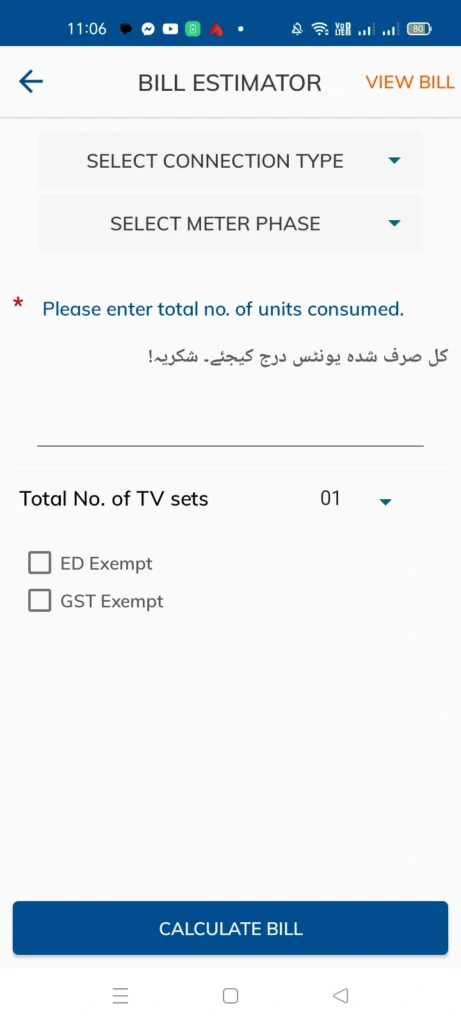
QESCO bill estimator helps the users to estimate their monthly bill. The users have to:
- select their connection type
- meter phase
- enter the number of units they consumed
- select the no. of TV sets
- if applicable check the boxes named “ED Exempt”, and “GST Exempt”
After putting in all the information, click the “Calculate Bill” button, and your estimated bill will be shown to you.
Billing Information
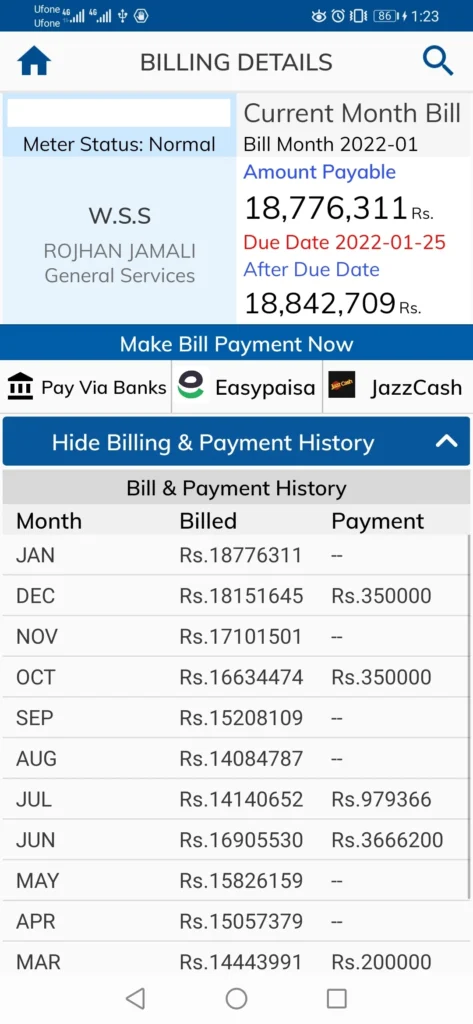
In the billing information section, you can check the following:
- Current bill amount
- Due date of the bill
- Units of electricity consumed
- Previous bill history
- Payment status (paid or unpaid)
- Billing month and meter readings
In billing information, you get the option to view your QESCO duplicate bill as well.
Duplicate Bill
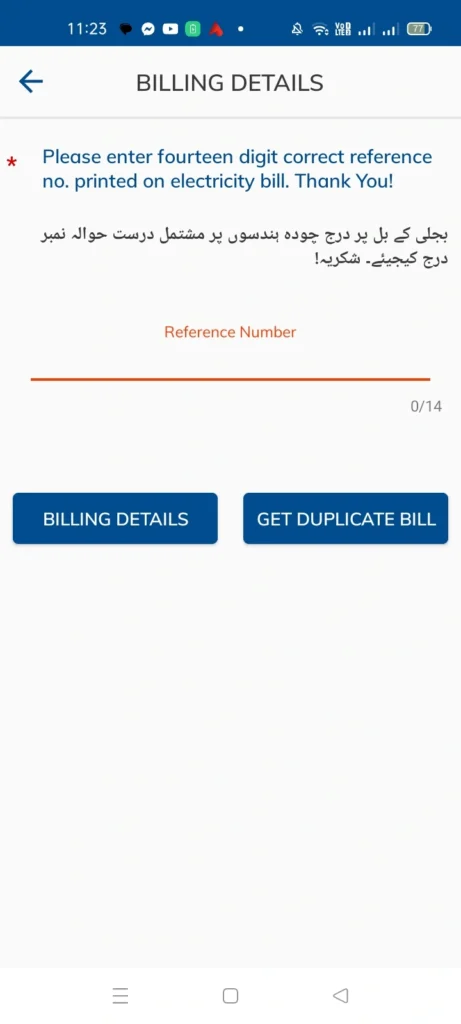
In this duplicate bill section, you put your 14-digits reference number, click the “Get Duplicate Bill” button, and get your bill.
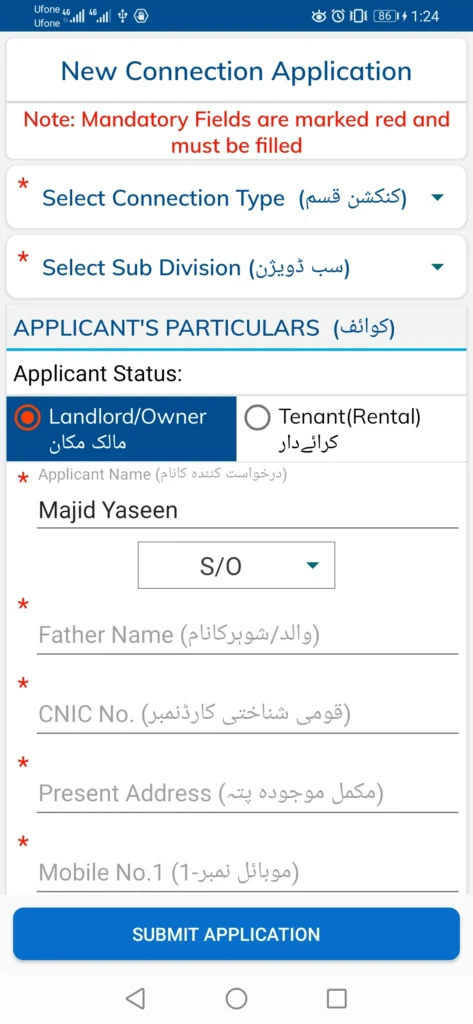
Apply Electricity New Connection
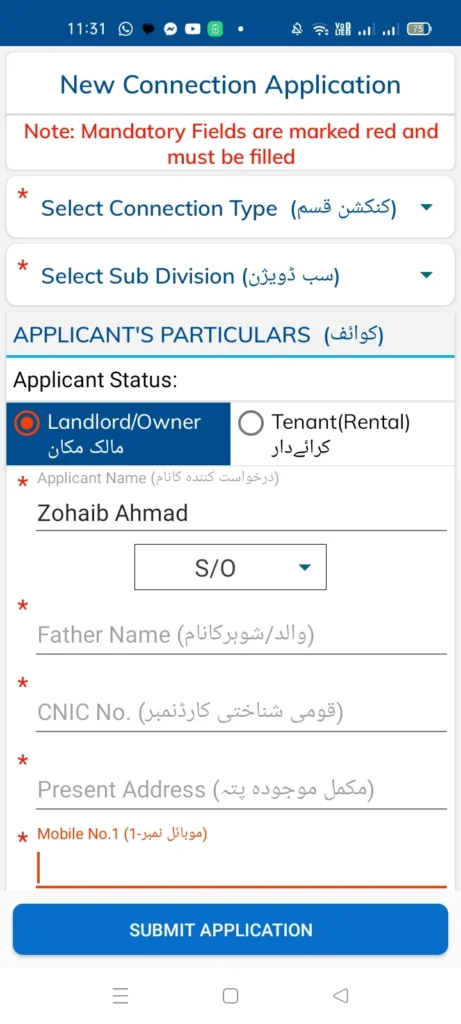
In this section, the users can apply for QESCO new connection by giving the following information:
- Select Connection Type
- Select Sub Division
- Applicant Status (Landlord / Owner or Tenant / Rental)
- Applicant Name
- Applicant’s father Name, or husband name
- Applicant’s CNIC number
- Applicant’s Present Address
- Give Contact Person Information
- Select Number of Meters Already Installed
- Choose Minimum Load (in KWH)
- Enter Premises Address
- Enter Neighbours Reference No.
- Neighbour Address
Upload the following documents:
- Property Document Copy
- Attested CNIC Copy of Applicant
- Attested CNIC Copy of Witness
- Neighbour Electricity Bill Copy
Once you have provided all the information, click the “Submit Application” button, your application will be submitted, and you will get the “Application Tracking Number”. This tracking number will help you to track the approval status of your application.
Track New Connection Application
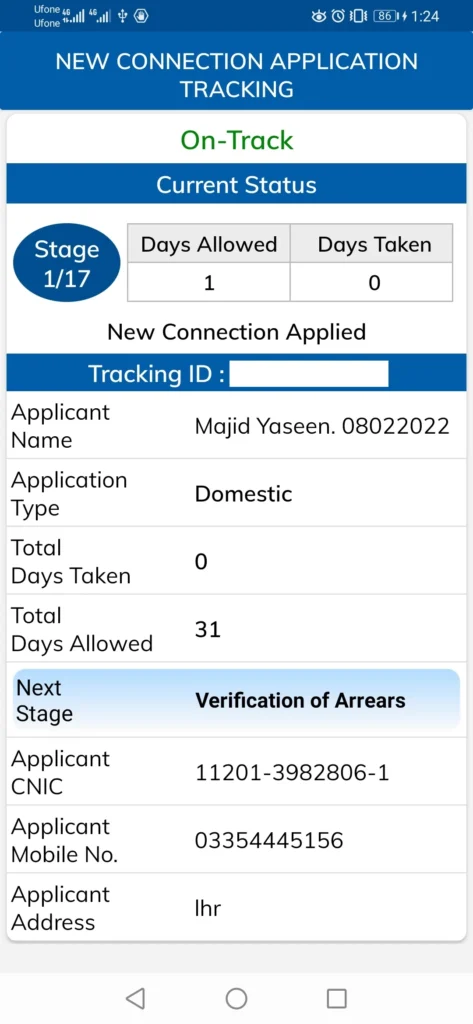
In this option, you have to enter your Tracking ID or CNIC number, click the “Track Application” button, and your application status will be shown.
Apply for Change of Name, Tariff, and Load
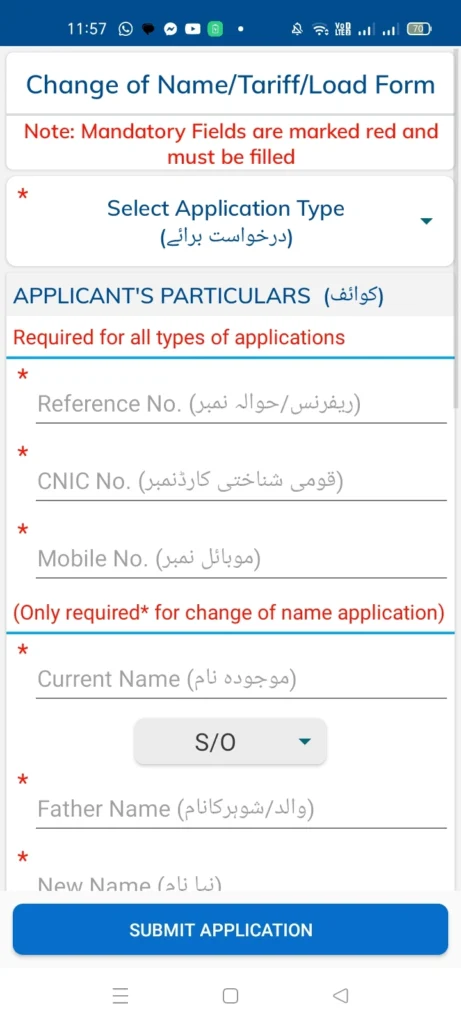
In this section of QESCO app, you can apply for changing the name, tariff or load of your connection. You just have to give the following details:
- Select your application type, such as: Change of Name, Change of Tarrif, or Change of Load
- Reference No.
- CNIC No.
- Mobile No.
Only For Change of Name Application
- Current Name
- Father Name / Husband Name
- New Name
- Father Name / Husband Name
Only for Change of Tariff Application
- Old Tariff
- New Tariff
Only for Change of Load Application
- Choose Load Type, such as: Addition of Laod, or Reduction of Load
- Sanctioned Load
- New Load (in KWh)
Upload the Following Documents:
- Attested CNIC Copy of Applicant
- Applicant Electricity Bill Copy
- Proof of Ownership
Once you have given all the information, click the “Submit Application” button, and your application will be submitted. After application submition you will be provided with Tarcking ID. Save this Tracking ID because it will help your to track your application.
FAQs
Conclusion
QESCO has made it easier for its consumers to benefit from its services by introducing its app called QESCO Light. This application is available on Goolge Play Store.
With the help of this application the QESCO users can easily get access to the folllowing services from the comfort of their home:
- Load Management Schedule
- Lodge Complaints
- Track Complaint
- CNIC & Mobile Number Registeration
- Bill Estimator
- Billing Information
- Duplicate Bill
- Apply Electricity New Connection
- Track New Connection Application
- Apply for Change of Name, Tariff, Load
Therefore, just go and download the QESCO app and get advantage from it.